15 Expert Cable-Management Hacks for Wall-Mounted TV Cabinets
Oct 17,2025 | Smart-Living
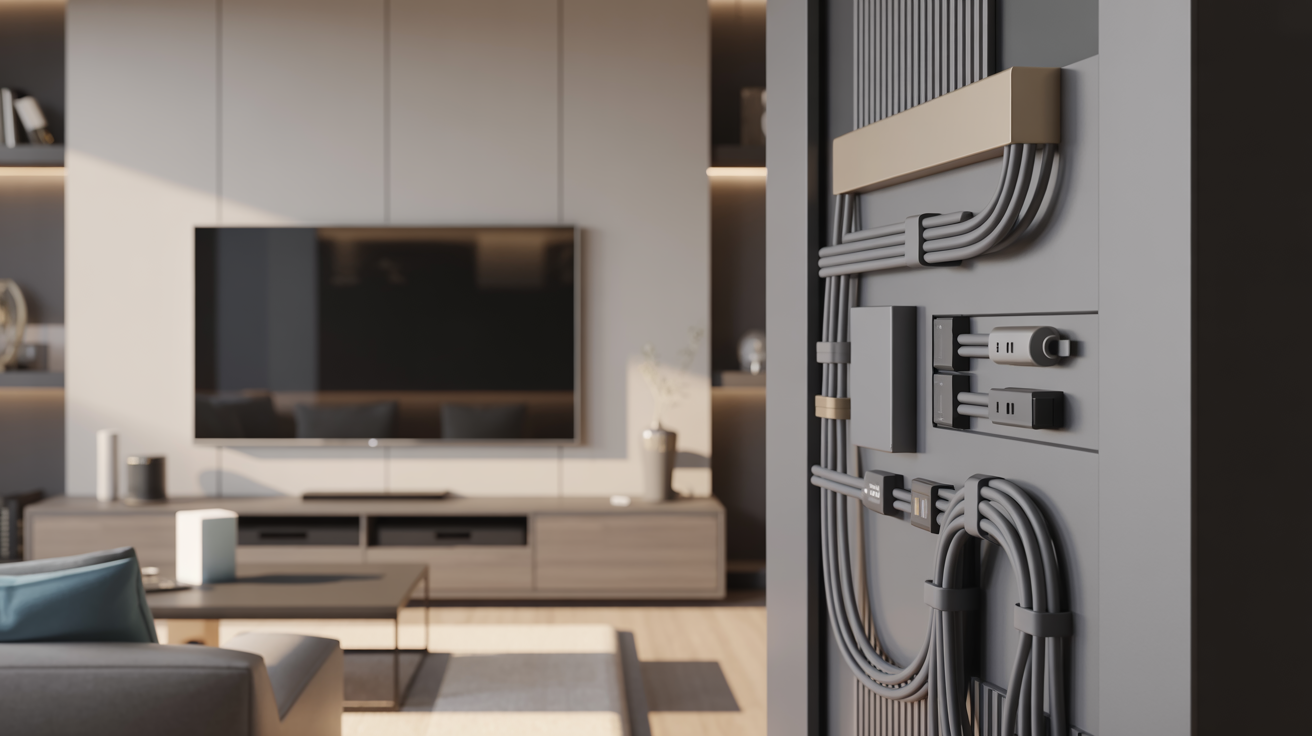
Table Of Contents
- Understanding Cable Management Challenges
- Essential Tools for Effective Cable Management
- Behind-the-TV Cable Management Solutions
- In-Wall Cable Routing Solutions
- TV Cabinet Internal Organization Strategies
- Power Strip and Adapter Management
- Wireless and Bluetooth Solutions
- Creative Cable Concealment Ideas
- Maintenance and Accessibility Tips
- Conclusion
A sleek wall-mounted TV paired with a stylish TV cabinet creates a sophisticated focal point in any living space. But there's often one glaring problem that disrupts this picture-perfect setup: cable clutter. Tangled cords, exposed power strips, and dangling HDMI cables can quickly transform your elegant entertainment area into an eyesore.
The good news? With some strategic planning and the right techniques, you can achieve a clean, professional-looking setup that maintains both functionality and aesthetics. Whether you've recently invested in a wall-mounted TV or you're looking to upgrade your existing setup, effective cable management is the finishing touch that elevates your entire entertainment area.
In this comprehensive guide, we'll explore practical solutions for taming cable chaos around your wall-mounted TV and cabinet. From simple cord-hiding techniques to more advanced in-wall routing options, these expert hacks will help you create a polished, organized entertainment center that you'll be proud to showcase in your home.
15 Expert Cable-Management Hacks
Transform Your Wall-Mounted TV Setup
Behind-the-TV Solutions
- Bundle at the source - Group cables at connection points using velcro straps
- Adhesive cable clips - Create defined routes on the back of your TV
- Ultra-short HDMI cables - Eliminate excess cable length for devices mounted directly behind the TV
In-Wall & Surface Solutions
- Power bridge kits - Create hidden pathways between your TV and cabinet
- Paintable cable raceways - Surface-mounted channels that blend with your wall color
- Crown molding concealers - Blend cable management with architectural features
Cabinet Organization
- Strategic device placement - Position frequently used devices at the front
- Cable pass-through holes - Add rubber-grommet lined openings in strategic locations
- Mount power adapters - Attach bulky power bricks to cabinet backs with velcro
Creative Concealment
- Floating shelf solution - Install a decorative shelf below your TV to hide cables
- Fabric concealment - Use decorative textiles to cover wall areas with cables
- Strategic furniture placement - Use plants or slim bookcases as visual barriers
Power Management
- Mount power strips - Attach to the back of your TV cabinet for easy access
- Right-angle adapters - Use space-saving plugs in tight areas
- Label power cords - Mark each cord at the plug for easy identification
Essential Tools for Cable Management
Maintenance Best Practices
Leave Cable Slack
Include extra length for future adjustments
Label Both Ends
Mark cables for easier troubleshooting
Regular Maintenance
Schedule periodic checks for loose connections
Transform your entertainment area from cable chaos to organized elegance.
Understanding Cable Management Challenges
Before diving into solutions, let's understand what makes cable management around wall-mounted TVs particularly challenging:
The primary difficulty stems from the vertical gap between your wall-mounted TV and your TV cabinet below. Unlike traditional setups where the TV sits directly on the cabinet, wall-mounting creates a visible space where cables must travel. Additionally, modern entertainment systems typically include multiple components—streaming devices, game consoles, sound systems, and cable boxes—each with its own power cord and connection cables.
These challenges are compounded when your walls are made of concrete or brick, making in-wall solutions more complex. Rental properties present additional limitations since permanent modifications may not be permitted. Understanding these constraints will help you select the most appropriate cable management approach for your specific situation.
Essential Tools for Effective Cable Management
Successful cable management starts with having the right tools at your disposal. Here's what you'll need to implement most of the hacks in this guide:
Cable management sleeves or raceways are flexible tubes or channels that bundle multiple cables together, creating a single, neat cord instead of multiple dangling wires. Cable clips and adhesive mounts provide anchor points to secure cables along specific routes. Velcro ties or zip ties help bundle cables together temporarily or permanently, while cord covers or cord concealers are decorative solutions that hide cables completely from view.
For more advanced setups, you might need a stud finder to locate safe drilling points, a drywall saw for creating access holes, fish tape for threading cables through walls, and a power drill with appropriate bits. Having these tools ready before you start will make the process much smoother and more efficient.
Behind-the-TV Cable Management Solutions
The space directly behind your TV offers the first opportunity to organize cables before they become visible. Start by identifying all necessary connections and removing any unused cables to minimize clutter. Group cables according to their destinations—those going to power outlets, those connecting to devices in your TV cabinet, and those linking to external components.
Short cable ties or velcro straps work perfectly to bundle cables at the connection points. For larger TVs, adhesive-backed cable clips attached to the back of the television can create defined cable routes that keep everything organized. Some TV mounts include built-in cable management features—if yours doesn't, consider adhesive cable channels that attach to the back of the mount.
Another elegant solution is using ultra-short HDMI cables for devices mounted directly behind the TV. For streaming sticks or dongles, these minimal-length connections eliminate excess cable entirely. If possible, position your TV with just enough space between it and the wall to accommodate your cable management solution without pushing the TV too far forward.
In-Wall Cable Routing Solutions
For the cleanest possible look, in-wall cable routing is unmatched. This approach involves running cables through the wall between your TV and your cabinet, completely eliminating visible wires. While this is a more advanced solution requiring some DIY skills, the results are worth the effort for many homeowners.
The simplest in-wall solution uses power bridge kits, which include two wall plates—one behind the TV and one behind the cabinet—connected by cables running inside the wall. These kits typically include power solutions and channels for AV cables. When installing, always confirm there are no electrical wires, pipes, or studs in your intended path using a stud finder with multiple detection modes.
If you're uncomfortable cutting into your walls or if you rent your home, consider over-the-wall cable raceways. These paintable channels adhere to the wall surface, concealing cables while allowing you to maintain a clean look that blends with your wall color. While not completely hidden like in-wall solutions, quality raceways can be remarkably discreet.
TV Cabinet Internal Organization Strategies
Your TV cabinet plays a crucial role in your cable management system. Begin by planning the layout of devices inside the cabinet. Position frequently accessed items toward the front and those rarely touched toward the back. Consider how cables will route between devices and to the back of the cabinet.
Drill cable pass-through holes in strategic locations if your cabinet doesn't already include them. The back corners of shelves or dividers make excellent locations. Use rubber grommets in these holes to protect cables from sharp edges. Within the cabinet, use adhesive cable clips or small cable raceways to route cords along the inner sides or back panel rather than letting them hang or tangle.
For power supplies and bulky adapters, attach them to the back or underside of your cabinet using velcro or purpose-made adapter mounts. This prevents them from sliding around while keeping them accessible. Some TV consoles come with built-in cable management features—make full use of these by threading cables through provided channels and organizing components accordingly.
Power Strip and Adapter Management
Power management presents some of the biggest challenges in creating a clean setup. Start with a high-quality surge protector or power strip with adequate outlets for all your devices. Mount this power strip to the back of your TV cabinet using screws, command strips, or a purpose-built power strip holder to keep it off the floor and easily accessible.
Consider using right-angle power adapters for tight spaces, as these allow plugs to sit flush against the wall. For devices with bulky power bricks, use short extension cords to relocate the bricks to more convenient locations within your cabinet. Label each power cord near the plug to identify which device it belongs to—this makes troubleshooting and reorganizing much simpler.
To reduce visible cords even further, look into furniture with built-in power solutions. Many modern TV consoles include integrated power strips and cable management systems. If replacing furniture isn't an option, aftermarket furniture power centers can be mounted to the back of existing pieces.
Wireless and Bluetooth Solutions
The ultimate cable management solution is eliminating cables altogether. Modern entertainment systems offer numerous wireless alternatives that can significantly reduce cable clutter. Wireless HDMI transmitters eliminate the need for HDMI cables between your devices and TV, though you'll still need power for both the transmitter and receiver.
Bluetooth-enabled soundbars and speakers remove the need for audio cables, while streaming devices like Apple TV, Roku, or Amazon Fire Stick can replace traditional cable boxes and disc players. Smart TVs with built-in streaming capabilities further reduce the need for external devices. When possible, choose devices with Wi-Fi connectivity over those requiring ethernet connections.
Even with wireless solutions, you'll still have some power cables to manage. Consolidate these using the techniques discussed earlier. Remember that wireless solutions may occasionally experience interference or require troubleshooting, so weigh convenience against reliability when making your selections.
Creative Cable Concealment Ideas
Sometimes, the most elegant solutions involve disguising cables rather than eliminating them entirely. Decorative approaches can turn cable management into an aesthetic feature. Consider fabric cord covers that add texture while hiding cables—these come in various colors and materials to complement your decor. Some are designed to look like decorative ropes or tassels.
Strategic furniture placement can create natural cable corridors. A tall plant, floor lamp, or narrow bookshelf positioned between your TV and the nearest outlet provides a visual break that makes cable management less noticeable. Wall-mounted cord channels can be incorporated into gallery walls or painted in contrasting colors to become intentional design elements.
Another approach is to embrace the industrial aesthetic by using metal cable trays or exposed conduit painted to complement your decor. This works particularly well in modern, industrial, or loft-style spaces. For a truly integrated look, consider crown molding-style cable concealers that blend with existing architectural features.
The Floating Shelf Solution
Installing a floating shelf between your wall-mounted TV and TV cabinet creates both a decorative element and a clever cable-hiding solution. The shelf provides a platform for small decorative items while concealing cables behind it. Choose a shelf deep enough to hide cables but not so deep that it interferes with viewing angles.
Install the shelf directly below your TV, ensuring cables can be routed behind it. Use cable clips on the back of the shelf to secure cords in place. This approach works exceptionally well when you want to display small items like photos, plants, or decorative objects while simultaneously solving your cable management challenges.
Fabric Concealment Solutions
For a soft, design-friendly approach, consider fabric-based solutions. Decorative tapestries or fabric panels can be hung to conceal the wall area between your TV and cabinet. Choose materials that complement your existing decor. Install the fabric with enough space behind it for cables to route freely.
This approach works particularly well in bohemian, rustic, or eclectic design schemes where textile elements are already part of the aesthetic. The fabric softens the technology-heavy area while providing practical concealment. Ensure the fabric is properly secured at both top and bottom to prevent it from being disturbed by air movement.
Maintenance and Accessibility Tips
A well-designed cable management system should not only look good but also remain functional over time. Plan for future changes by leaving some slack in your cables—this makes it easier to move components or replace devices without dismantling your entire setup. Use quick-release cable ties rather than permanent zip ties where you anticipate needing to make changes.
Label both ends of each cable using masking tape, label stickers, or dedicated cable labels. This makes troubleshooting much simpler when issues arise. Keep a small container in your TV cabinet with spare cables, adapters, and cable management supplies for quick fixes and adjustments.
Establish a regular maintenance schedule to check for loose connections, dust accumulation, or shifted components. Every few months, take photos of your setup before cleaning to help remember the proper arrangement. When adding new devices, take the time to properly integrate them into your existing cable management system rather than letting temporary solutions become permanent problems.
Conclusion
Effective cable management transforms your entertainment area from merely functional to truly refined. By implementing the strategies we've discussed—from behind-the-TV organization to creative concealment techniques—you can achieve a clean, professional-looking setup that enhances your living space.
Remember that the best cable management solution combines multiple approaches tailored to your specific needs. Start with the basics of bundling and organizing cables, then progress to more advanced techniques as needed. Whether you choose in-wall routing, decorative concealment, or wireless alternatives, the goal remains the same: a clutter-free entertainment area that looks as good as it functions.
With these expert cable management hacks, you'll be able to enjoy your wall-mounted TV and stylish TV cabinet without the distraction of tangled cords and visible cables. The time invested in proper cable management pays dividends in both aesthetics and functionality, creating an entertainment setup that truly enhances your home.
Messy cables no longer need to detract from your beautiful wall-mounted TV setup. By implementing these professional cable management hacks, you can transform cable chaos into organized elegance. Whether you opt for simple cord covers, in-wall solutions, or creative concealment ideas, the result will be a cleaner, more sophisticated entertainment area.
Remember that effective cable management is about creating systems that work with your specific space and needs. Take the time to plan your approach, gather the right tools, and execute with care. The difference between a hastily assembled entertainment center and one with thoughtful cable management is immediately apparent and well worth the effort.
With your newly organized setup, you'll not only enjoy improved aesthetics but also easier access for maintenance, troubleshooting, and future upgrades. A clean, well-managed entertainment center is the mark of attention to detail that elevates your entire living space.
Ready to upgrade your entertainment center with stylish, functional furniture designed with cable management in mind? Explore Smart Living's premium collection of TV cabinets and entertainment solutions at direct-to-consumer prices. Visit Smart Living today to discover quality home essentials without the retail markup.